Everyone is talking about building with AI. But most of the advice out there is aimed at developers. What about the rest of us? I'm not a developer.
I'm a change manager. I've spent 30 years in technology projects, 20 of them helping people through the systems nobody wanted to use — SAP, Oracle, Salesforce, the lot. I've trained over 3,000 people to use technology that scared them. And last year, I taught myself to build AI tools.
Not by hiring a developer. Not by doing a six-month coding bootcamp. Just me, Claude, and a couple of very determined weeks.
Week one: getting to know each other
The first week wasn't really about building anything. It was about figuring out how to talk to Claude in a way that got useful results. Everyone thinks AI is just about prompts — type something in, get something out. And yes, that's part of it.
But if you want to build a tool — something that works in the background, that knows your business, that delivers insight without you having to prompt it every single time — you need to think differently. You're not writing a prompt. You're writing a set of instructions that will run every time someone uses your tool. That's a different skill. And it took me a week to get my head around it.
Day eight: the actual build
Once I knew how to think about it, the actual build took a day. One day! Yes, in one day!
That surprised me too. The tool I built was a Free Risks & Actions Report — an AI-powered assessment that helps project teams understand their change risk by team, in minutes. It asks questions, analyses the answers, and produces a detailed report with recommendations. It's live on my website right now. Real clients use it. It cost me nothing except time.
| Team | Tech | Process | Structure |
|---|---|---|---|
| Operations | H | M | H |
| Finance | M | H | L |
| Sales | L | M | M |
Then I built a second tool — a Change Action Plan generator that takes the Scorecard results and turns them into a tailored action plan, team by team. Two tools. Genuinely useful. Built by a non-developer. Using Claude.
Week two: the debugging
I'm not going to pretend it was all smooth. The second week was debugging. Things broke. I fixed them. Things broke again. I fixed them again. But here's the thing — Claude helped with that too. The same tool I was building with was also my troubleshooting partner. By the end of week two, both tools were live and working.
What I learned
A few things stood out. The biggest one:
You don't need prompts. You need architecture.
Prompts are what you type when you're using AI as a tool. What I was doing was different — I was designing how AI thinks inside a tool someone else uses. That's a completely different mindset.
The second thing: the setup matters more than the code. Getting your Cloudflare account right, understanding how Claude Console credits work, knowing where your tool will live — that's the stuff that trips people up. Not the actual building.
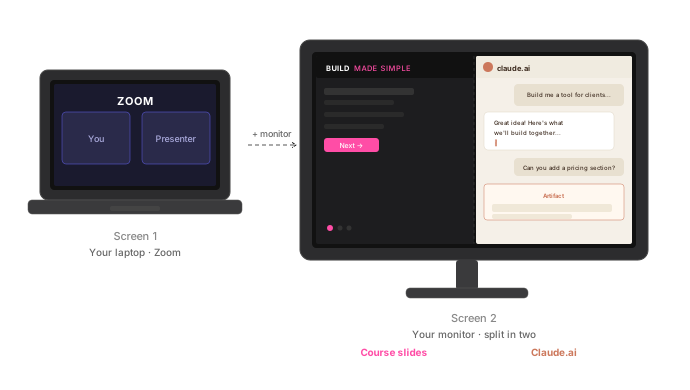
And the third thing: two screens are not optional. Having your instructions on one screen and Claude on the other is the difference between flow and frustration.
Why I'm teaching this
I spent 20 years training people on systems that scared them. I watched thousands of people go from "I can't do this" to "actually, this is fine." That's what this is.
Build Made Simple is a two-hour live online workshop where you build your own AI-powered tool — for your own business — during the session. Not a demo. Not a tutorial you watch. You build something real.
A client intake tool. A proposal generator. A FAQ bot that knows your business. A feedback analyser. Whatever your business actually needs.
If you've got FOMO about building with AI — and you should, because the gap between people who build and people who don't is widening fast — let's fix that together.